
Note: This documentation covers both the Free and Pro versions of FundCollector. FundCollector Pro requires the Free version to be installed and kept active at all times. Sections that apply only to Pro are marked with PRO.
Security Settings
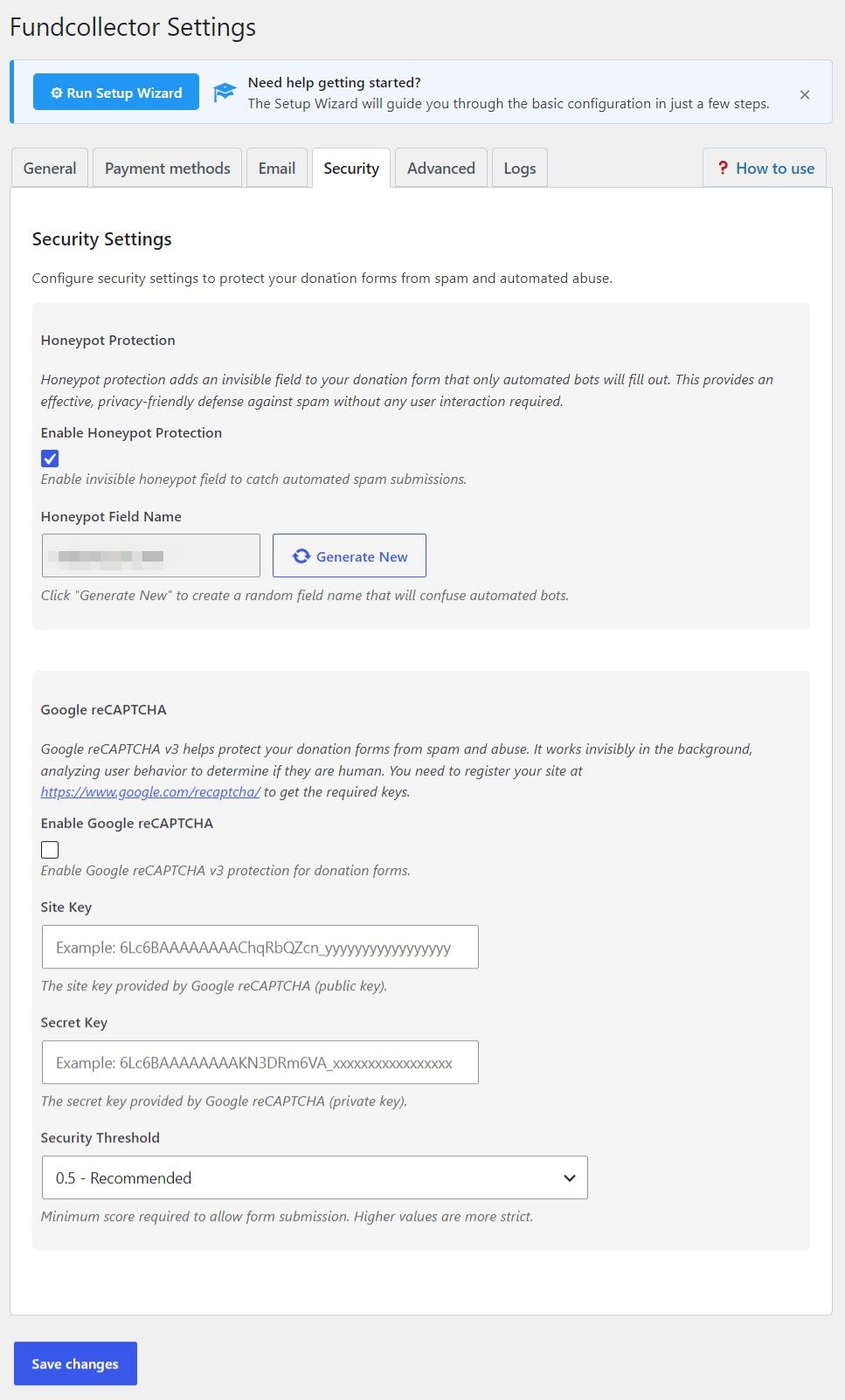
Honeypot Protection
Honeypot protection adds a hidden field to each donation form that real visitors do not see or fill in. Simple bots often fill every field and are caught. It does not ask donors to solve a challenge.- Enable Honeypot Protection – Turn the invisible honeypot field on or off.
- Honeypot Field Name – The read-only name of the hidden field. Use Generate New to create a new random name.
Google reCAPTCHA
FundCollector uses Google reCAPTCHA v3, which runs in the background and scores how likely a visitor is human. It does not normally show a checkbox challenge. Create a v3 site in the Google reCAPTCHA console, then add its keys here.- Enable Google reCAPTCHA – Activates reCAPTCHA on donation forms.
- Site Key – Public key from Google, used in the browser.
- Secret Key – Private key. Keep it confidential.
- Security Threshold – Minimum score from 0.0 to 1.0 required to accept a submission. A higher score is stricter:
- 0.3 – Permissive – More submissions allowed. Use it if real donors are blocked with stricter values.
- 0.5 – Recommended – A balanced default for many sites.
- 0.7 – Moderate – Fewer bots get through than with the recommended threshold.
- 0.9 – Very strict – Fewest bots get through, but some real users might be blocked.
Admin notice
If neither honeypot nor reCAPTCHA is enabled, the plugin can show a Security Warning stating that no anti-spam protection is active and that forms may receive automated spam. Enabling at least one method clears that concern.Practical tips
- Quick win: Enable honeypot only. It requires no external account and adds no donor interaction.
- Extra layer: Keep honeypot enabled and add reCAPTCHA v3 with the Recommended threshold. Adjust it if donors report issues or spam persists.